Component analysis
Another cleaning method which is good for HB and also for blinks is ICA. pca may also work for large artifacts such as HB. first let's read the visual data.
Contents
Looking at the data without cleaning (just filter)
cd somsens

fileName='c,rfhp0.1Hz'; % we read an uncleaned file so we can see HB as a component.
cfg=[];
cfg.dataset=fileName;
cfg.trialdef.eventtype='TRIGGER';
cfg.trialdef.prestim=0.1;
cfg.trialdef.poststim=0.5;
cfg.trialdef.offset=-0.1;
cfg.trialdef.visualtrig= 'visafter';
cfg.trialfun='BIUtrialfun';
cfg.trialdef.eventvalue=  [222 230 240 250]; %left index finger
cfg1=ft_definetrial(cfg);
cfg1.demean='yes';
cfg1.baselinewindow=[-0.1,0];
cfg1.bpfilter='yes';
cfg1.bpfreq=[1 40];
cfg1.channel='MEG';
cfg1.feedback='no';
dataorig=ft_preprocessing(cfg1);
% averaging
cfg=[];
cfg.feedback='no';
allvis=ft_timelockanalysis(cfg,dataorig);
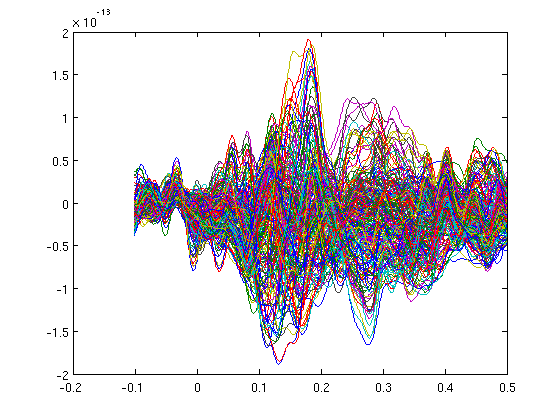
plot(allvis.time,allvis.avg);

cfgp=[];
cfgp.layout='4D248.lay';
cfgp.interactive='yes';
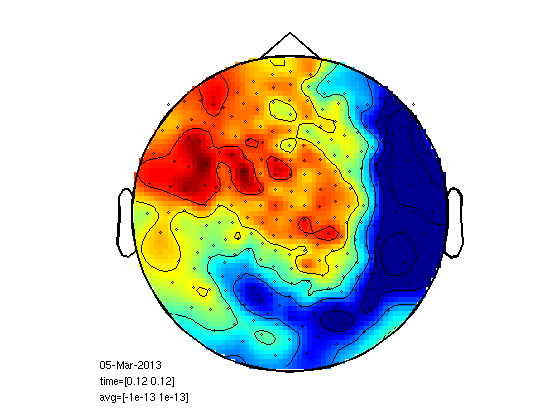
cfgp.zlim=[-10^-13 10^-13];
cfgp.xlim=[0.12 0.12];
figure;
ft_topoplotER(cfgp,allvis);
figure;
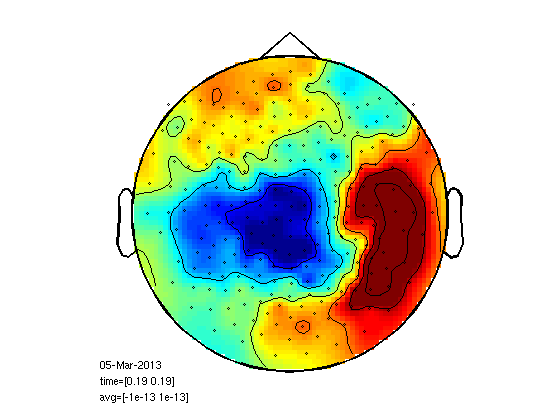
cfgp.xlim=[0.19 0.19];
ft_topoplotER(cfgp,allvis);

cfgp=rmfield(cfgp,'xlim');
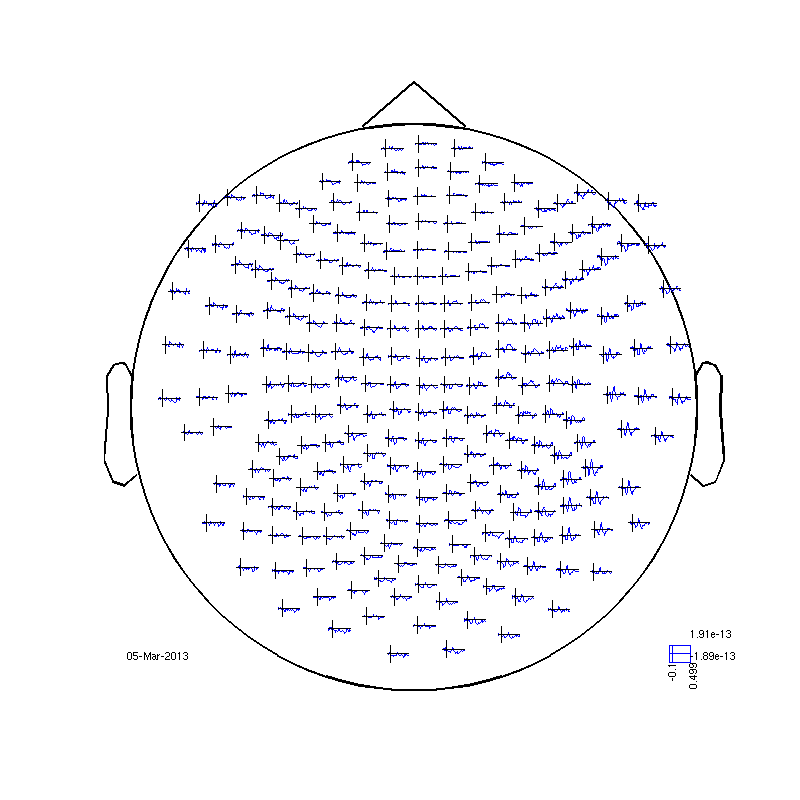
fig1=figure;
set(fig1,'Position',[0,0,800,800]);
ft_multiplotER(cfgp,allvis);
evaluating trialfunction 'BIUtrialfun'
reading header...
applying digital weights in the gradiometer balancing matrix
undoing the Supine balancing
reading events from file...
applying digital weights in the gradiometer balancing matrix
undoing the Supine balancing
found 894 events
created 160 trials
the call to "ft_definetrial" took 3 seconds and an estimated 0 MB
applying digital weights in the gradiometer balancing matrix
undoing the Supine balancing
processing channel { 'A22' 'A2' 'A104' 'A241' 'A138' 'A214' 'A71' 'A26' ...
the call to "ft_preprocessing" took 7 seconds and an estimated 0 MB
the input is raw data with 248 channels and 160 trials
the call to "ft_timelockanalysis" took 0 seconds and an estimated 0 MB
reading layout from file 4D248.lay
the call to "ft_prepare_layout" took 0 seconds and an estimated 0 MB
Warning: Some points fall outside the outline, please consider using another layout
the call to "ft_topoplotTFR" took 0 seconds and an estimated 0 MB
the call to "ft_topoplotER" took 0 seconds and an estimated 0 MB
reading layout from file 4D248.lay
the call to "ft_prepare_layout" took 0 seconds and an estimated 0 MB
the call to "ft_topoplotTFR" took 0 seconds and an estimated 0 MB
the call to "ft_topoplotER" took 0 seconds and an estimated 0 MB
selection avg along dimension 1
selection dof along dimension 1
selection var along dimension 1
reading layout from file 4D248.lay
the call to "ft_prepare_layout" took 0 seconds and an estimated 0 MB
the call to "ft_multiplotER" took 1 seconds and an estimated 0 MB
Component analysis
ICA takes a lot of time. pca is faster, but!
cfgc            = [];
cfgc.method='pca';
cfgc.numcomponent=20;
comp           = ft_componentanalysis(cfgc, dataorig);

%see the components and find the artifact
cfgb=[];
cfgb.layout='4D248.lay';
cfgb.channel = {comp.label{1:5}};
cfgbo=ft_databrowser(cfgb,comp);
% see the ica components.
% look for heartbeat. it repeats almost every trial. remember it's number.

% there are two ways to reject a component. reconstracting the data from
% the good parts and reducing the bad component from the original data.
% here is the first way of doing it.
cfgrc = [];
cfgrc.component = 1; % change
cfgrc.feedback='no';
dataca = ft_rejectcomponent(cfgrc, comp);

% here is the second

% dataca = ft_rejectcomponent(cfgrc, comp, dataorig);

%  the second way is usefull when you only create some 10 or 20 components rather than 248
%  with cfgc.numcomponent=20;
%  because you cannot reconstruct the data well with 20 components.
%  it is also usefull when you calculate the components with one piece of
%  data (where you have lots of blinks) in order to clean another piece of
%  data.
the input is raw data with 248 channels and 160 trials
selecting 248 channels
baseline correcting data
scaling data with 1 over 0.000000
concatenating data................................................................................................................................................................
concatenated data matrix size 248x97760
starting decomposition using pca
applying the mixing matrix to the sensor description
the call to "ft_componentanalysis" took 1 seconds and an estimated 185 MB
reading layout from file 4D248.lay
the call to "ft_prepare_layout" took 1 seconds and an estimated 185 MB
the input is component data with 20 components and 248 original channels
detected   0 visual artifacts
redrawing with viewmode component
fetching data... done
fetching artifacts... done
preprocessing data... done
the call to "ft_prepare_layout" took 0 seconds and an estimated 0 MB
plotting artifacts...
plotting events...
plotting data...
the call to "ft_prepare_layout" took 0 seconds and an estimated 0 MB
plotting component topographies...
done
the call to "ft_databrowser" took 150 seconds and an estimated 185 MB
removing 1 components
keeping 19 components
the call to "ft_rejectcomponent" took 1 seconds and an estimated 0 MB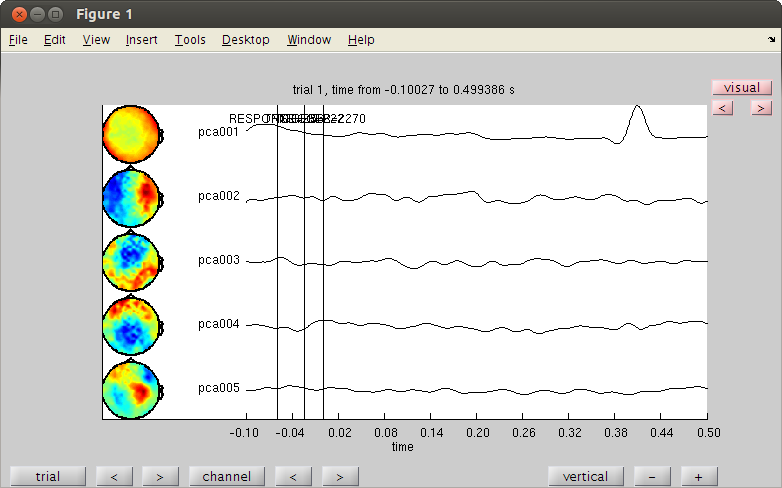
Component analysis on raw data
we have eye movement block in the end of the experiment
trig=readTrig_BIU('c,rfhp0.1Hz');
trig=clearTrig(trig);

startt=find(trig==50,1)/1017.25;
endt=find(trig==52,1)/1017.25;
cfg=[];
cfg.dataset='c,rfhp0.1Hz';
cfg.trialdef.beginning=startt;
cfg.trialdef.end=endt;
cfg.trialfun='trialfun_raw'; % the other usefull trialfun we have are trialfun_beg and trialfun_BIU
cfg1=ft_definetrial(cfg);
cfg1.demean='yes';% old version was: cfg1.blc='yes';
cfg1.baselinewindow=[-0.1,0];
cfg1.lpfilter='yes';
cfg1.lpfreq=40;
cfg1.channel='MEG';
MOG=ft_preprocessing(cfg1);
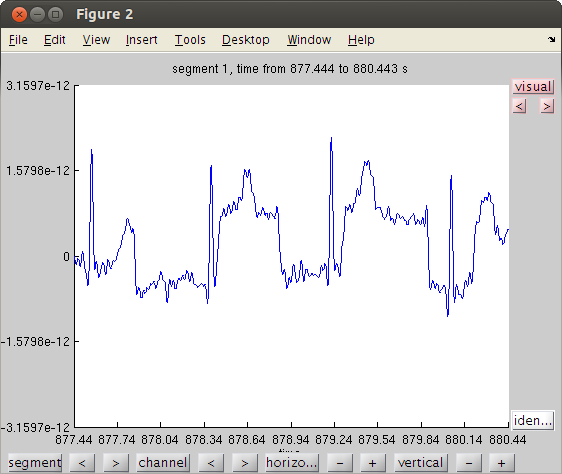
% lets view the raw data for one channel
cfgb=[];
cfgb.layout='4D248.lay';
cfgb.continuous='yes';
cfgb.event.type='';
cfgb.event.sample=1;
cfgb.blocksize=3;
cfgb.channel='A248';
comppic=ft_databrowser(cfgb,MOG);
Warning: 50Hz cleaning with cleanMEG pack will not be possible using the new trigger
evaluating trialfunction 'trialfun_raw'
reading header...
Warning: READ_HEADER is only a compatibility wrapper, which will soon be removed. Please instead
call FT_READ_HEADER.
applying digital weights in the gradiometer balancing matrix
undoing the Supine balancing
found 1 events
created 1 trials
the call to "ft_definetrial" took 1 seconds and an estimated 0 MB
applying digital weights in the gradiometer balancing matrix
undoing the Supine balancing
processing channel { 'A22' 'A2' 'A104' 'A241' 'A138' 'A214' 'A71' 'A26' 'A93' 'A39' 'A125' 'A20' 'A65' 'A9' 'A8' 'A95' 'A114' 'A175' 'A16' 'A228' 'A35' 'A191' 'A37' 'A170' 'A207' 'A112' 'A224' 'A82' 'A238' 'A202' 'A220' 'A28' 'A239' 'A13' 'A165' 'A204' 'A233' 'A98' 'A25' 'A70' 'A72' 'A11' 'A47' 'A160' 'A64' 'A3' 'A177' 'A63' 'A155' 'A10' 'A127' 'A67' 'A115' 'A247' 'A174' 'A194' 'A5' 'A242' 'A176' 'A78' 'A168' 'A31' 'A223' 'A245' 'A219' 'A12' 'A186' 'A105' 'A222' 'A76' 'A50' 'A188' 'A231' 'A45' 'A180' 'A99' 'A234' 'A215' 'A235' 'A181' 'A38' 'A230' 'A91' 'A212' 'A24' 'A66' 'A42' 'A96' 'A57' 'A86' 'A56' 'A116' 'A151' 'A141' 'A120' 'A189' 'A80' 'A210' 'A143' 'A113' 'A27' 'A137' 'A135' 'A167' 'A75' 'A240' 'A206' 'A107' 'A130' 'A100' 'A43' 'A200' 'A102' 'A132' 'A183' 'A199' 'A122' 'A19' 'A62' 'A21' 'A229' 'A84' 'A213' 'A55' 'A32' 'A85' 'A146' 'A58' 'A60' 'A88' 'A79' 'A169' 'A54' 'A203' 'A145' 'A103' 'A163' 'A139' 'A49' 'A166' 'A156' 'A128' 'A68' 'A159' 'A236' 'A161' 'A121' 'A4' 'A61' 'A6' 'A126' 'A14' 'A94' 'A15' 'A193' 'A150' 'A227' 'A59' 'A36' 'A225' 'A195' 'A30' 'A109' 'A172' 'A108' 'A81' 'A171' 'A218' 'A173' 'A201' 'A74' 'A29' 'A164' 'A205' 'A232' 'A69' 'A157' 'A97' 'A217' 'A101' 'A124' 'A40' 'A123' 'A153' 'A178' 'A1' 'A179' 'A33' 'A147' 'A117' 'A148' 'A87' 'A89' 'A243' 'A119' 'A52' 'A142' 'A211' 'A190' 'A53' 'A192' 'A73' 'A226' 'A136' 'A184' 'A51' 'A237' 'A77' 'A129' 'A131' 'A198' 'A197' 'A182' 'A46' 'A92' 'A41' 'A90' 'A7' 'A23' 'A83' 'A154' 'A34' 'A17' 'A18' 'A248' 'A149' 'A118' 'A208' 'A152' 'A140' 'A144' 'A209' 'A110' 'A111' 'A244' 'A185' 'A246' 'A162' 'A106' 'A187' 'A48' 'A221' 'A196' 'A133' 'A158' 'A44' 'A134' 'A216' }
reading and preprocessing
reading and preprocessing trial 1 from 1
the call to "ft_preprocessing" took 1 seconds and an estimated 0 MB
the input is raw data with 248 channels and 1 trials
detected   0 visual artifacts
redrawing with viewmode butterfly
fetching data... done
fetching artifacts... done
preprocessing data... done
plotting artifacts...
plotting events...
plotting data...
done
the call to "ft_databrowser" took 5 seconds and an estimated 0 MB
PCA
cfgp=[];
cfgc.method='pca';
compMOG           = ft_componentanalysis(cfgc, MOG);
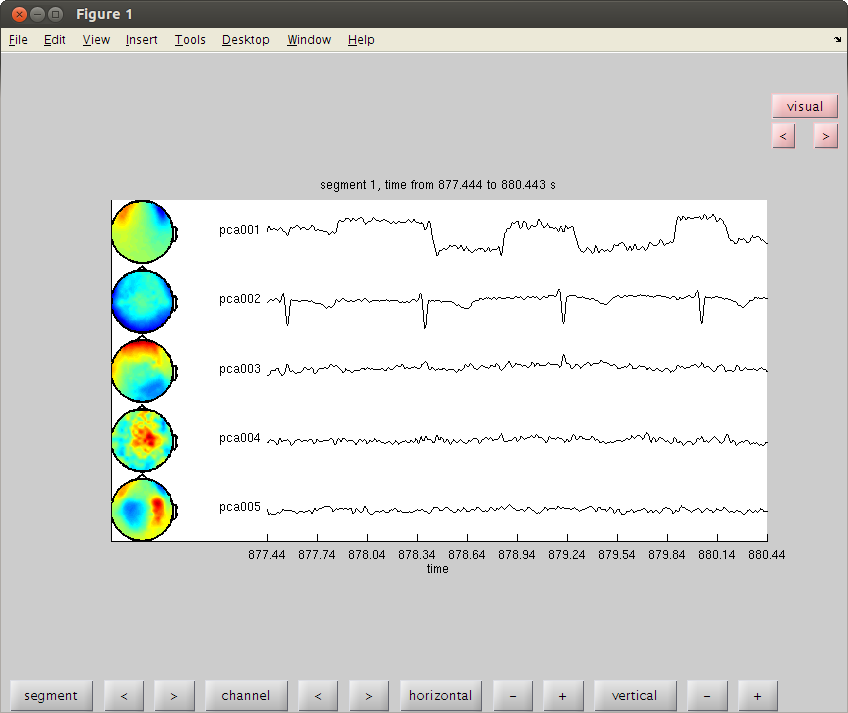
% see the components and find the HB and MOG artifact
% remember the numbers of the bad components and close the data browser
cfgb=[];
cfgb.layout='4D248.lay';
cfgb.channel = {comp.label{1:5}};
cfgb.continuous='yes';
cfgb.event.type='';
cfgb.event.sample=1;
cfgb.blocksize=3;
comppic=ft_databrowser(cfgb,compMOG);

% set the bad comps as the value for cfgrc.component.
cfgrc = [];
cfgrc.component = [1 2]; % change
cfgrc.feedback='no';
dataca = ft_rejectcomponent(cfgrc, compMOG,dataorig);
the input is raw data with 248 channels and 1 trials
selecting 248 channels
baseline correcting data
scaling data with 1 over 0.000000
concatenating data.
concatenated data matrix size 248x9050
starting decomposition using pca
applying the mixing matrix to the sensor description
the call to "ft_componentanalysis" took 0 seconds and an estimated 0 MB
reading layout from file 4D248.lay
the call to "ft_prepare_layout" took 1 seconds and an estimated 0 MB
the input is component data with 20 components and 248 original channels
detected   0 visual artifacts
redrawing with viewmode component
fetching data... done
fetching artifacts... done
preprocessing data... done
the call to "ft_prepare_layout" took 0 seconds and an estimated 0 MB
plotting artifacts...
plotting events...
plotting data...
the call to "ft_prepare_layout" took 0 seconds and an estimated 0 MB
plotting component topographies...
done
the call to "ft_databrowser" took 15 seconds and an estimated 0 MB
baseline correcting data
removing 2 components
keeping 18 components
the call to "ft_rejectcomponent" took 4 seconds and an estimated 0 MB
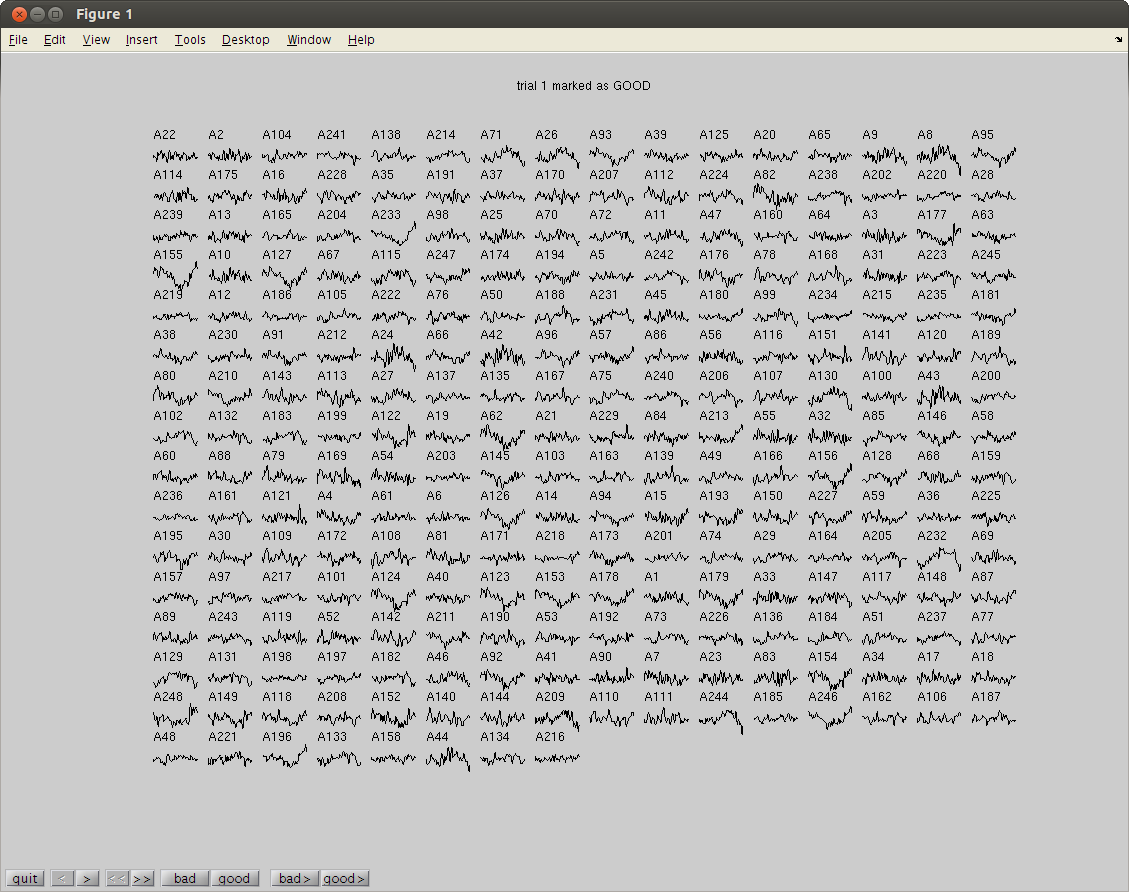
reject visual trial by trial
cfg=[];
cfg.method='trial'; %trial
cfg.channel='MEG';
cfg.alim=1e-12;
datacln=ft_rejectvisual(cfg, dataca);
the input is raw data with 248 channels and 160 trials
showing the data per trial, all channels at once
trial 1 marked as GOOD
trial 1 marked as GOOD
160 trials marked as GOOD, 0 trials marked as BAD
248 channels marked as GOOD, 0 channels marked as BAD
no trials were removed
the call to "ft_rejectvisual" took 4 seconds and an estimated 0 MB
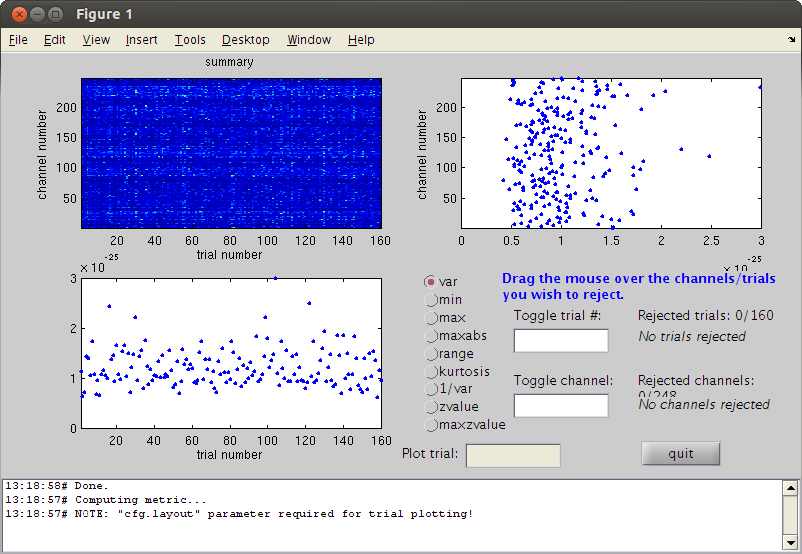
reject visual by variance
cfg=[];
cfg.method='summary'; %trial
cfg.channel='MEG';
cfg.alim=1e-12;
datacln=ft_rejectvisual(cfg, dataca);

cfg=[];
cfg.feedback='no';
clnAvg=ft_timelockanalysis(cfg,datacln);

cfgmp=[];
cfgmp.layout='4D248.lay';
cfgmp.interactive='yes';
fig2=figure;
set(fig2,'Position',[0,0,800,800]);
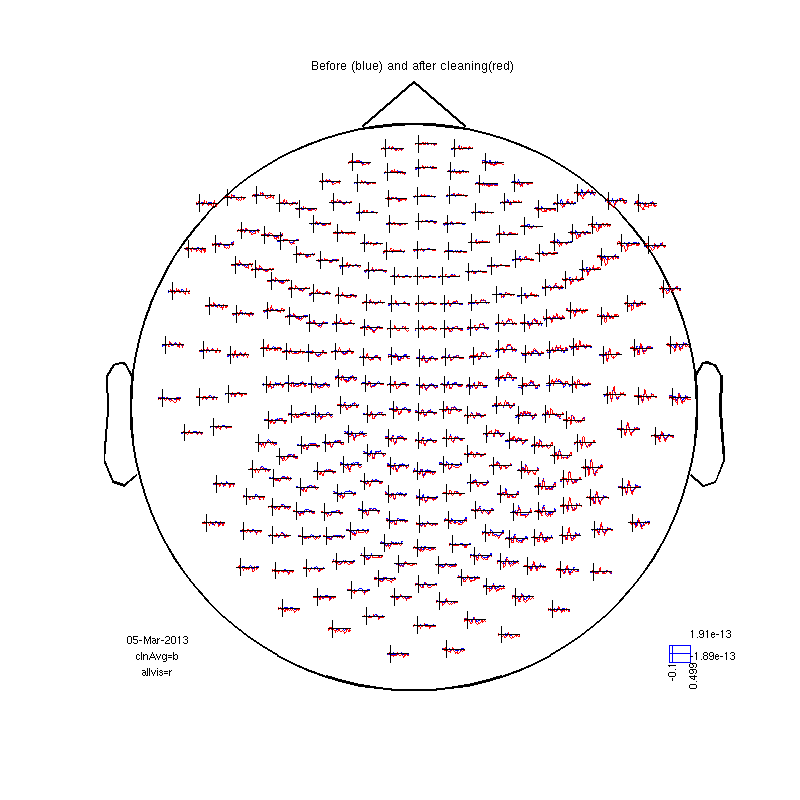
ft_multiplotER(cfgmp,clnAvg,allvis);
title ('Before (blue) and after cleaning(red)')
the input is raw data with 248 channels and 160 trials
showing a summary of the data for all channels and trials
computing metric [--------------------------------------------------------\]
160 trials marked as GOOD, 0 trials marked as BAD
248 channels marked as GOOD, 0 channels marked as BAD
no trials were removed
the call to "ft_rejectvisual" took 3 seconds and an estimated 0 MB
the input is raw data with 248 channels and 160 trials
the call to "ft_timelockanalysis" took 0 seconds and an estimated 0 MB
selection avg along dimension 1
selection dof along dimension 1
selection var along dimension 1
selection avg along dimension 1
selection dof along dimension 1
selection var along dimension 1
reading layout from file 4D248.lay
the call to "ft_prepare_layout" took 0 seconds and an estimated 0 MB
the call to "ft_multiplotER" took 1 seconds and an estimated 0 MB